Category: Marketing

Marketing

  • Mastering Digital Marketing: Your First Steps into the Online Arena

    Mastering Digital Marketing: Your First Steps into the Online Arena

    Mastering Digital Marketing: Your First Steps into the Online Arena

    Thinking about getting your brand or business noticed online? Digital marketing is simply how we use the internet and connected devices to connect with potential customers. It’s all about putting your message where your audience already spends their time – on social media, in their email inbox, searching for answers, or browsing their favorite websites. Our experience shows that even small, consistent efforts here can lead to big results, especially when you understand the foundational pieces.

    Imagine trying to launch a new product without anyone knowing it exists. That’s a common challenge we see. Instead, we want to help you spread the word efficiently and effectively, turning casual browsers into loyal customers.
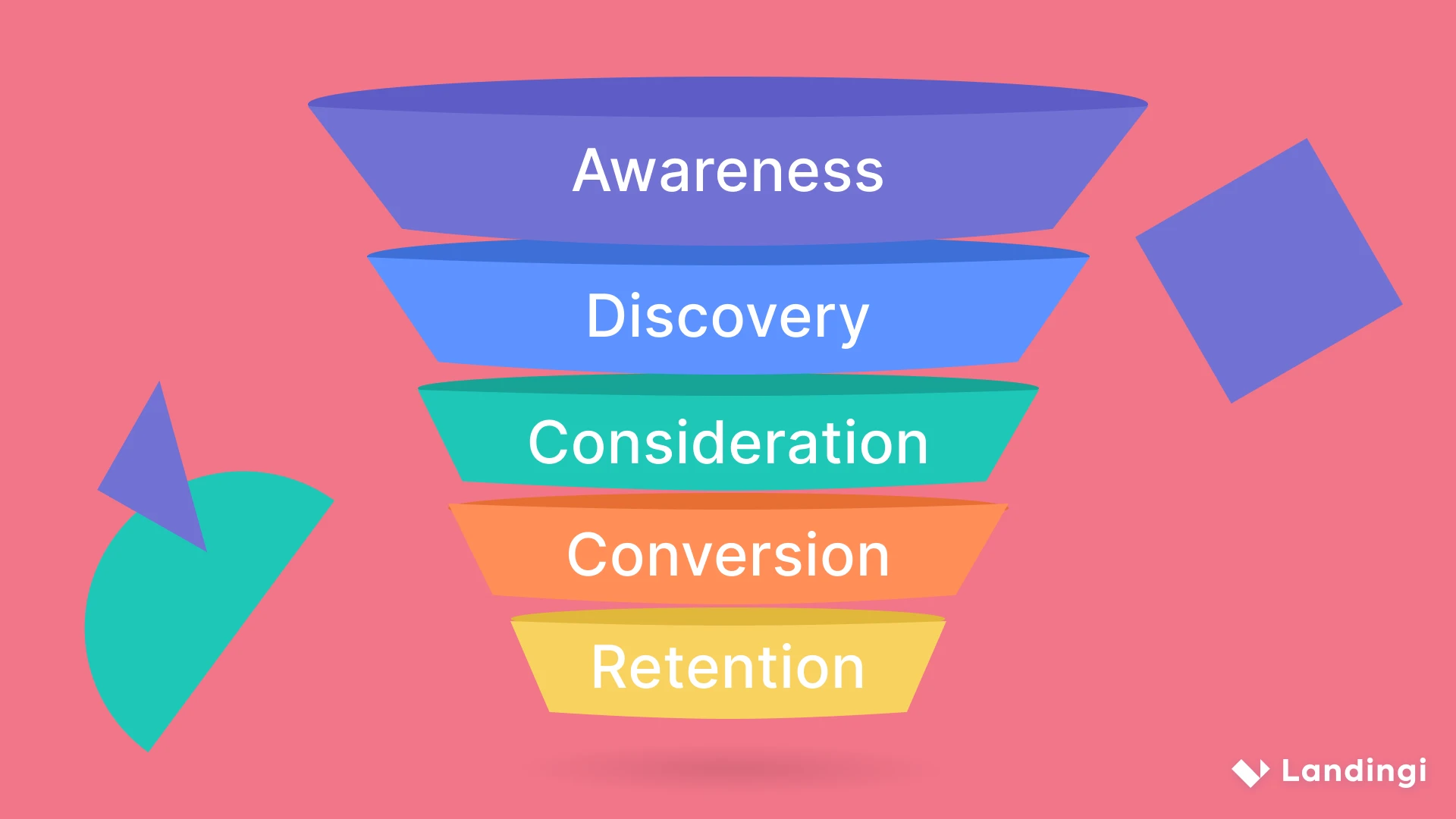
    Digital marketing
    Photo by landingi.com

    Getting started with digital marketing can feel like learning a new language. There are so many platforms, terms, and tactics floating around. But don’t worry, we’ve broken down the core concepts into manageable pieces. This isn’t about jargon; it’s about practical strategies you can use today.

    Table of Contents

    What Exactly is Digital Marketing?

    At its heart, digital marketing is how you promote products, services, or brands using digital channels to reach consumers. Think of it as your online megaphone, your digital storefront, and your direct line to your audience, all rolled into one. When we talk to businesses, we stress that it’s less about “being everywhere” and more about “being in the right places” with the right message.

    This space isn’t static. What worked brilliantly last year might need tweaking this year, which is why we’re always testing new approaches. The aim is always the same: get seen, get clicked, get customers.

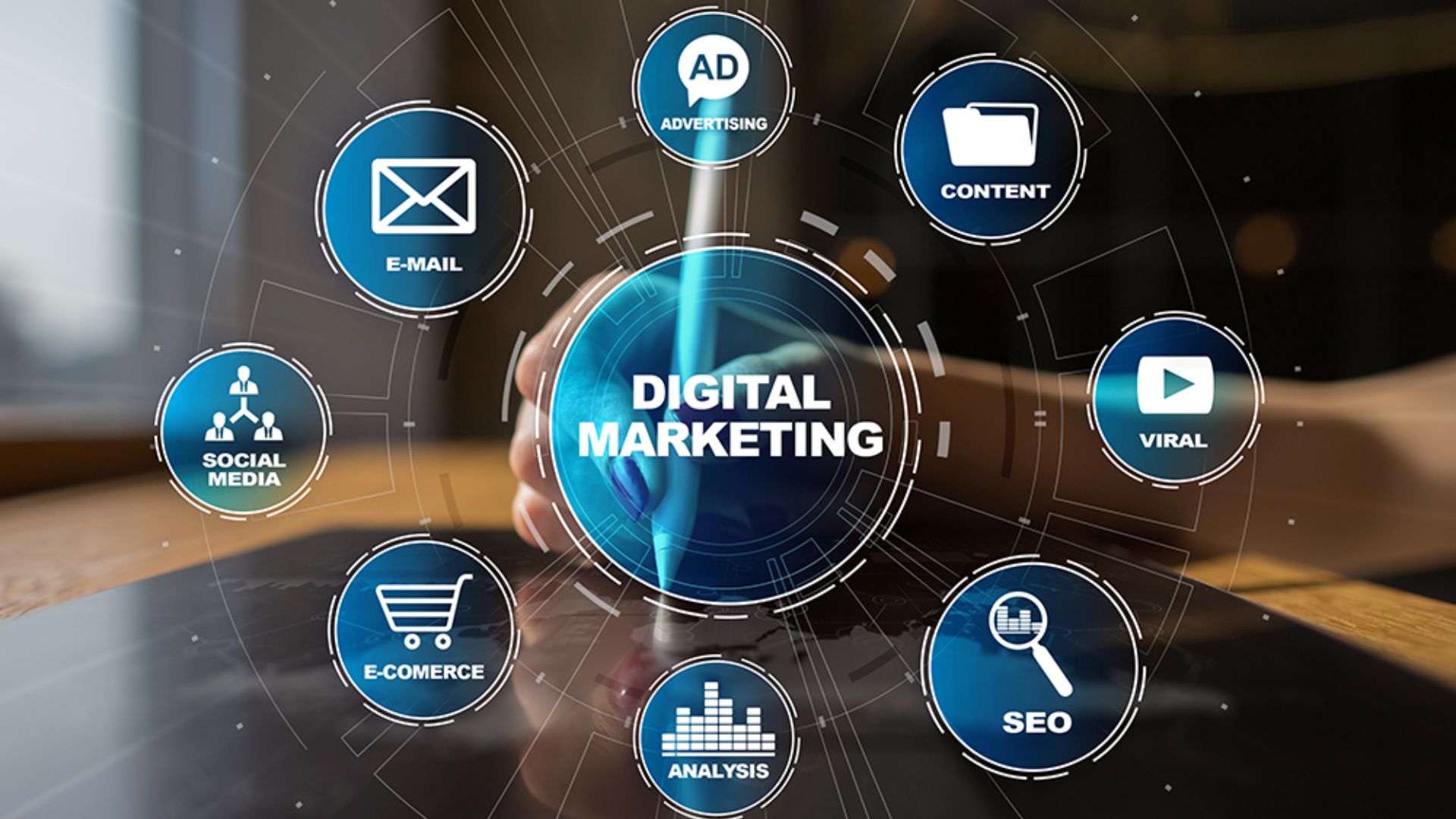
    The Core Pillars: Where We Focus Our Energy

    We often categorize digital marketing into several key areas. Understanding these helps you choose where to put your time and money. Here’s how we generally break it down:

    • Search Engine Optimization (SEO): Making sure your website shows up high on Google when someone searches for something you offer.
    • Content Marketing: Creating valuable, engaging material (blogs, videos, infographics) that attracts and holds an audience.
    • Social Media Marketing: Using platforms like Facebook, Instagram, LinkedIn, or TikTok to connect, share, and build community.
    • Paid Advertising (PPC): Running ads on search engines (Google Ads) or social media (Meta Ads) to get instant visibility.
    • Email Marketing: Building a list of subscribers and sending them targeted messages, promotions, or newsletters.
    • Analytics: Tracking everything to understand what’s working and what’s not, then making smarter decisions.

    “The biggest mistake we’ve seen beginners make isn’t starting small; it’s trying to do everything at once without a clear goal. Pick one or two channels, master them, then expand.” – Our Lead Strategist.

    Crafting Your Message: Content and SEO

    Before you connect, you need something worthwhile to say and a place for people to find it. That’s where content and SEO become friends.

    Content Marketing: Your Brand’s Storyteller

    This is where you show your expertise and personality. Instead of just selling, you’re informing, entertaining, or solving problems.

    Our team, for example, once helped a small bakery struggling to stand out. Instead of just posting product photos, we started a blog with “Behind the Scenes” baking tips and stories about local ingredient sourcing. The engagement exploded. People weren’t just buying bread; they were buying into a story.

    Consider these types of content:

    • Blog posts: Share insights, guides, or updates.
    • Videos: Explain complex topics or show product demos.
    • Infographics: Present data in a visually appealing way.
    • Podcasts: Offer discussions or interviews.

    Search Engine Optimization (SEO): Being Found by Google

    When someone types a question into Google, you want your answer to appear. SEO is the process of getting your website to rank higher in those search results organically (without paying for ads).

    Naturally, when exploring SEO, we consider keywords. These are the words and phrases people type into search engines. We research these heavily to ensure our clients’ content aligns with what their audience is actually searching for.
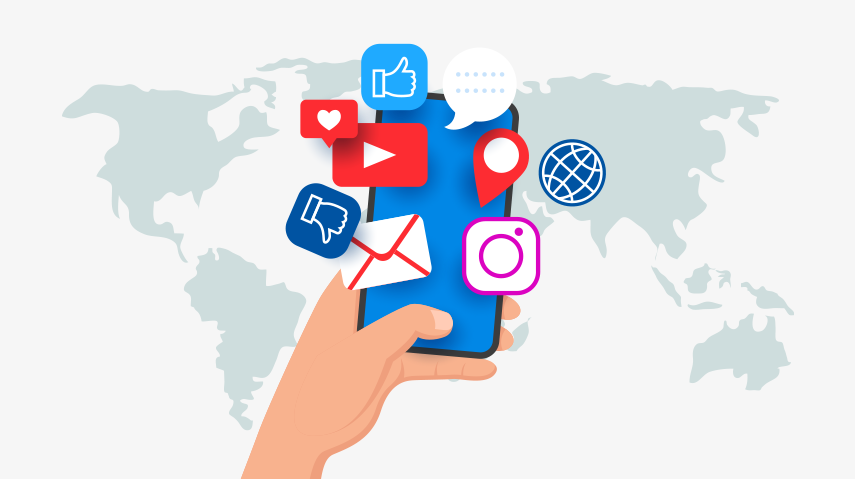
    Digital marketing
    Photo by www.springboard.com

    SEO isn’t a quick fix. It’s a marathon, not a sprint. We focus on:

    • Keyword Research: Finding out what your audience searches for.
    • On-Page SEO: Making sure your website’s content and structure are clear for search engines.
    • Technical SEO: Ensuring your site loads fast and works well on all devices.
    • Off-Page SEO: Getting other credible websites to link to yours (like recommendations).

    Connecting with Your Audience: Social Media and Paid Ads

    Once you have great content, you need to get it in front of people. Social media and paid ads are fantastic for this.

    Social Media Marketing: Building Community

    Social platforms are where conversations happen. We use them not just to broadcast messages, but to listen, engage, and build relationships. The platform you choose matters – a B2B service will likely shine on LinkedIn, while a fashion brand might thrive on Instagram or TikTok.

    Our agency once worked with a startup struggling with brand awareness. We helped them identify their ideal customer’s primary social platform and developed a strategy that focused heavily on user-generated content and live Q&A sessions. Their community grew exponentially because they were genuinely connecting, not just posting ads.

    Here’s a quick look at how different channels stack up for a beginner:

    Channel Primary Benefit (Beginner) Our Tip Time Investment
    Facebook Broad audience, diverse content formats. Start with a business page, post consistently. Moderate
    Instagram Visual content, strong for products/lifestyle. Focus on high-quality images and short videos. High (visuals)
    LinkedIn Professional networking, B2B focus. Share industry insights, connect with peers. Moderate
    TikTok Short-form video, high engagement potential. Experiment with trends, show personality. High (fast-paced)

    Paid Advertising (PPC): Instant Visibility

    Paid ads offer a shortcut to getting seen. Platforms like Google Ads or social media ad managers let you target specific demographics, interests, or search queries.

    We use paid ads when clients need rapid visibility or want to test specific offers. The key isn’t just spending money; it’s spending it smartly. Our testing workflow involves A/B testing ad copy and visuals to pinpoint what resonates most with the audience, optimizing spend for better results. This minimizes wasted budget.

    Digital marketing
    Photo by www.vectorstock.com

    Building Relationships: Email Marketing & Analytics

    These two areas often get overlooked by beginners, but they’re incredibly powerful for long-term growth.

    Email Marketing: Your Direct Line to Customers

    Building an email list is like having a direct line to your most interested audience. It’s a channel you own, unlike social media which changes its algorithms constantly. We see email as a core tool for nurturing leads and converting sales.

    Based on our testing workflow, segmented email lists (sending different messages to different groups based on their interests) consistently outperform generic newsletters. A new subscriber might get a “welcome” series, while a returning customer receives loyalty offers.

    Analytics: The Compass Guiding Your Journey

    How do you know if your efforts are paying off? Analytics. Tools like Google Analytics track website traffic, user behavior, and conversion rates. Social media platforms also offer insights into engagement.

    We always remind our clients: data isn’t just numbers; it tells a story. Naturally, when exploring data, we look for patterns. For instance, if a specific blog post gets high traffic but low conversions, we might re-evaluate its call to action or target audience. This helps us refine strategies and get better outcomes.

    Getting Started: Our Practical Advice for Beginners

    Feeling a little overwhelmed? That’s normal! Here’s what we suggest for anyone taking their first steps in digital marketing:

    • Define Your Goal: What do you want to achieve? More website visitors? More sales? More email subscribers? Start with one clear objective.
    • Know Your Audience: Who are you trying to reach? Understanding their needs, where they hang out online, and what language they speak changes everything.
    • Start Small, Learn Fast: Pick one or two channels that align best with your goal and audience. Don’t try to master everything at once.
    • Create Value: Whether it’s a blog post, a social media update, or an email, always ask: “Is this valuable to my audience?”
    • Track Everything: Use analytics from day one. It helps you see what’s working and adjust quickly.
    • Be Patient and Consistent: Digital marketing builds momentum over time. Stick with it, learn from your results, and keep improving.

    Remember, the online world rewards those who show up, listen, and adapt. You’re not just marketing; you’re building relationships and solving problems for your audience. And that’s a strategy that always works.

    ### Hashtags
    DigitalMarketing, MarketingForBeginners, OnlineMarketing, SEOTips, SocialMediaStrategy, ContentMarketing, PPC, EmailMarketing, MarketingInsights, GrowYourBusiness, BeginnerGuide, DigitalStrategy, Marketing2026, ReadMore, Update, Inspiration
  • Ever Dream of Floating? Let’s Talk Antigravity Gemini!

    Ever Dream of Floating? Let’s Talk Antigravity Gemini!

    Ever Dream of Floating? Let’s Talk Antigravity Gemini!

    Imagine a world where you could just… lift off. No need for stairs, no heavy lifting, just a simple, effortless drift. Sounds like something out of a movie, right? Well, the idea of an **antigravity gemini** brings us a bit closer to that dream, at least in concept. Forget complex physics for a moment and picture a tool that lets you playfully defy gravity. It’s about moving things easily, exploring new spaces, and experiencing a truly light feeling.

    This concept opens up a universe of possibilities, allowing us to rethink movement and interaction with our surroundings.

    antigravity gemini
    Photo by x.com

    The core idea here isn’t just about weightlessness. It’s about a twin-powered approach to overcoming the pull of the earth, making what once felt impossible suddenly within reach. Think of it as your personal cheat code for a lighter life.

    What is this Antigravity Gemini Thing?

    Let’s keep it simple. An **antigravity gemini** is a cool concept for a device or a field that lets you escape the usual pull of gravity. The “Gemini” part hints at its dual nature – maybe it has two modes, two energy sources, or works by balancing two opposing forces.

    Think of it as a personal helper for anything that needs to be moved or lifted without strain. Imagine carrying heavy groceries with a finger, or jumping high with zero effort. That’s the kind of freedom we’re talking about.

    It’s less about breaking the laws of physics and more about bending them in a super clever way, opening doors to new adventures.

    The Magic Behind the Float: How It Works (Sort Of)

    We’re not talking rocket science here, but rather a fun way to understand a complex idea. The **antigravity gemini** concept works by creating a kind of “bubble” or “field” around objects, or even people, that pushes against gravity.

    Here’s a simplified breakdown:

    • It uses two main energies or modes that work together. One might gently push things up, while the other fine-tunes the movement.
    • It doesn’t make things disappear. It just makes them feel super light, almost weightless.
    • You can control how much lift you get. Just a little hover, or a full-on float!

    This means you can easily navigate tricky spaces or lift items without breaking a sweat.

    antigravity gemini
    Photo by www.youtube.com

    It’s all about making heavy things feel airy, giving you a new kind of interaction with the world around you.

    Getting Started with Your Imaginary Gemini: Playtime!

    So, if you had an **antigravity gemini**, what cool stuff could you do? Here are some fun ways to imagine using it:

    • Effortless Moving: Reorganize your furniture with a flick of the wrist. No more strained backs!
    • Creative Play: Imagine setting up an indoor obstacle course where you float over everything.
    • Exploring New Heights: Reach that top shelf without a ladder, or just enjoy a view from a slightly higher vantage point.
    • Art & Design: Sculptors could position massive pieces with pinpoint accuracy. Imagine hanging artwork that just… floats.
    • Help for Daily Tasks: Gardens could be tended without kneeling, carrying shopping could be a breeze.

    It’s about making everyday actions lighter, faster, and much more enjoyable. Think of it as your personal assistant for defying the mundane.

    “The Antigravity Gemini isn’t just about floating; it’s about unlocking a new kind of freedom in how we move and create.”

    The Two Sides of the Gemini Device

    The ‘Gemini’ aspect implies a duality, and for our beginner’s guide, we can think of it as two primary modes or functions that work in harmony.

    Gemini Mode What It Does Best For
    Lift & Float (Mode Alpha) Generates an upward force, making objects or people feel weightless. Good for sustained elevation. Moving heavy items, personal levitation, exploring vertical spaces.
    Precision & Push (Mode Beta) Allows for controlled, subtle nudges and movements in any direction while maintaining lightness. Fine-tuning object placement, navigating tight spots, gentle horizontal movement.

    These two modes let you have amazing control over things that usually feel heavy and cumbersome.

    antigravity gemini
    Photo by antigravity.google

    A Final Thought on Defying Gravity

    The concept of an **antigravity gemini** might seem like pure fantasy, but it sparks our imagination. It pushes us to dream about how we could interact with our world differently. It’s about more than just lifting; it’s about experiencing a sense of lightness, freedom, and new possibilities.

    Even if it’s just in our minds for now, thinking about such a device helps us appreciate the potential for truly innovative ideas. What would you do first if you could simply float?

    ### Hashtags
    AntigravityGemini, FutureTech, FloatLife, SciFiDreams, BeginnerTech, Innovation, Imagination, GravityDefied, ReadMore, Inspiration

  • Beyond the Hype: A Real Talk on Digital Marketing’s Ups and Downs

    Beyond the Hype: A Real Talk on Digital Marketing’s Ups and Downs

    Remember that time you were just thinking about needing a new coffee maker, and then, *poof*, an ad for the perfect one pops up on your social feed? Or when you searched for a recipe and suddenly every website you visit has recipe banners? That’s the world of **digital marketing** at play. It’s everywhere, always.

    This constant presence shapes how we discover things, how brands connect with us, and even how businesses grow. It’s not just about flashy ads; it’s a deep network of connections.

    Digital marketing
    Photo by iqltech.com

    We often hear about the wonders of reaching millions with a click, but what about the flip side? Like any tool, digital marketing has its strong points and its weaknesses. It’s worth looking at both sides clearly.

    What is Digital Marketing, Really?

    At its heart, **digital marketing** covers all the marketing efforts that use an electronic device or the internet. Think search engines, social media, email, mobile apps, and websites. It’s how businesses get their message out to potential customers online.

    It’s a huge umbrella term, covering everything from those tiny banner ads to highly personalized email campaigns. It has reshaped how businesses big and small connect with their audience. The aim remains the same: grab attention, create interest, and encourage action. The methods, though, are wildly different from traditional advertising.

    The Bright Side of Digital Marketing

    There are some truly compelling reasons why **digital marketing** has become a powerhouse. These aren’t just minor perks; they’re game-changers for many businesses.

    Wide Reach & Sharp Targeting

    You can speak to a global audience or zoom in on a very specific group. Imagine selling handmade dog collars to dog owners in specific zip codes who love poodles. Digital platforms allow for that kind of precise aim. This means your message reaches people who are genuinely likely to care.

    Budget-Friendly Options

    You don’t need a massive budget to get started. Many digital channels let you spend as much or as little as you like. Compared to a TV commercial or a billboard, the entry barrier is much lower, which is fantastic for startups and small businesses.

    Results You Can See

    One of the coolest things is how much data you get. You can see how many people saw your ad, clicked it, or bought something. This means you know exactly what’s working and what’s not, letting you tweak things in real-time. It takes a lot of guesswork out of the picture.

    Flexibility and Speed

    Need to change your ad campaign? No problem. Digital campaigns can be updated, paused, or restarted almost instantly. This agility means you can react quickly to market changes or new trends, keeping your message fresh and relevant.

    Digital marketing
    Photo by onlinemasters.jou.ufl.edu

    Engaging with Customers

    Digital channels let you have a two-way chat. Customers can leave comments, ask questions, and share their experiences. This direct interaction builds stronger relationships and helps you understand your audience better. It makes brands feel more human.

    The Shadows: A Look at the Downsides

    While the benefits are many, it’s not all sunshine and rainbows. There are real challenges and downsides that businesses and consumers face with online marketing strategies.

    Information Overload & Ad Fatigue

    We’re bombarded with messages online every single day. Our brains get tired of seeing so many ads. This means your message can easily get lost in the noise, or people might just tune it out completely. Getting noticed is tougher than ever.

    Privacy Worries

    The way digital ads target us often relies on collecting our data. This leads to concerns about privacy and how our personal information is used. People are increasingly wary, and new regulations around data mean marketers need to tread carefully.

    “The digital world offers incredible reach, but that reach comes with a responsibility to respect user privacy and avoid contributing to the overwhelming noise.”

    Always Changing Landscape

    The internet moves fast. What worked last year might not work today. Algorithms change, new platforms emerge, and trends shift constantly. Keeping up requires continuous learning and adaptation, which can be draining and resource-intensive.

    Stiff Competition

    Because it’s so accessible, everyone is trying their hand at online promotion. This means the digital space is incredibly crowded. Standing out from the crowd needs more than just a good product; it demands clever strategy and consistent effort.

    Reputation Risks

    Online, good news travels fast, but bad news travels even faster. A single negative review or a poorly handled customer complaint can go viral and damage a brand’s reputation quickly. Managing your online image requires constant vigilance.

    Digital marketing
    Photo by www.monash.edu

    Comparing the Scales

    Let’s put the pros and cons side-by-side to see the full picture.

    Advantages of Digital Marketing Disadvantages of Digital Marketing
    Connects with specific audiences globally. Contributes to information overload for users.
    Often costs less to start and scale. Sparks user privacy and data security debates.
    Performance data is readily available for analysis. Requires constant adaptation to platform changes.
    Campaigns can be adjusted quickly and easily. Faces intense competition for attention.
    Enables direct interaction with customers. Exposes brands to rapid reputational harm.

    Making It Work for You

    Understanding the full scope of digital marketing—its strengths and its weak spots—helps you navigate it better. For businesses, this means being smart about your strategy.

    • Know Your Audience: Really dig into who you’re trying to reach. The more you understand them, the less likely you are to contribute to the noise.
    • Focus on Value: Instead of just selling, offer something helpful or entertaining. Content that provides value cuts through the clutter.
    • Be Ethical with Data: Respect user privacy. Be transparent about data collection and give people control over their information. Trust is a massive asset.
    • Stay Agile: The digital world shifts. Be ready to learn, experiment, and adjust your plans. What works today might not work tomorrow, and that’s okay.
    • Build Authentic Relationships: Engage genuinely with your audience. Respond to comments, solve problems, and build a community around your brand.

    The Path Ahead for Digital Marketing

    The journey for **digital marketing** keeps going. We’ll likely see more focus on hyper-personalization, driven by smarter AI, but also stronger calls for data ethics and transparency. The brands that win will be those that use these powerful tools thoughtfully, creating real connections without sacrificing trust or adding to the overwhelming digital din. It’s about finding that sweet spot where technology serves humanity, not the other way around.

    ### Hashtags
    DigitalMarketing, ProsAndCons, OnlineStrategy, MarketingTrends, TechInsights, BusinessGrowth, BrandBuilding, PrivacyMatters, FutureOfMarketing, BalancedReview

  • Cracking the Code: Solving Your Toughest Facebook Marketing Headaches

    Cracking the Code: Solving Your Toughest Facebook Marketing Headaches

    Cracking the Code: Solving Your Toughest Facebook Marketing Headaches

    Ever feel like you’re shouting into a void with your Facebook Marketing efforts? You’ve put in the time, crafted what you think are amazing posts, maybe even dropped some cash on ads, but the results just aren’t showing up. It’s a common story for many businesses and creators. The platform changes, competition gets tougher, and figuring out what truly works can feel like a guessing game. It’s frustrating when your messages aren’t landing with the right people or turning into actual business wins.

    You might be asking yourself if all that effort is worth it. Maybe you’re wondering if you’re missing some secret ingredient everyone else seems to have. You’re not alone in feeling this way. So many of us have faced these exact challenges.

    Facebook Marketing
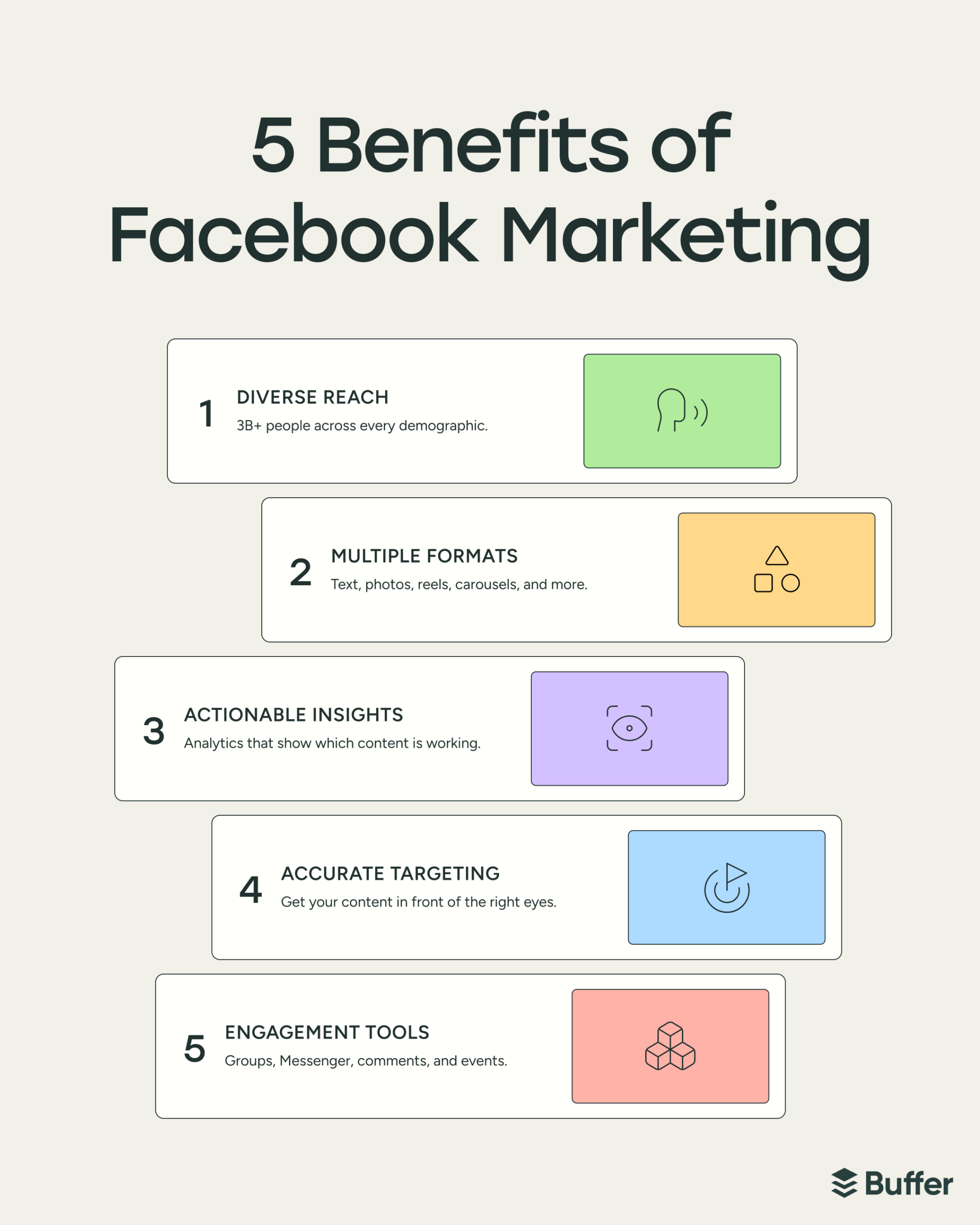
    Photo by buffer.com

    We get it. Building a thriving presence and seeing real returns from Facebook can be tricky. But what if we told you those persistent issues aren’t dead ends, but just puzzles waiting for the right solution? Let’s talk about those pain points and how to turn them around.

    Struggling to Reach the Right People?

    One big hurdle for businesses on Facebook is getting their message in front of actual potential customers. You might be boosting posts or running campaigns, but if the wrong people see them, it’s like talking to an empty room. This usually happens because your targeting isn’t sharp enough.

    The Fix: Deep Dive into Audiences

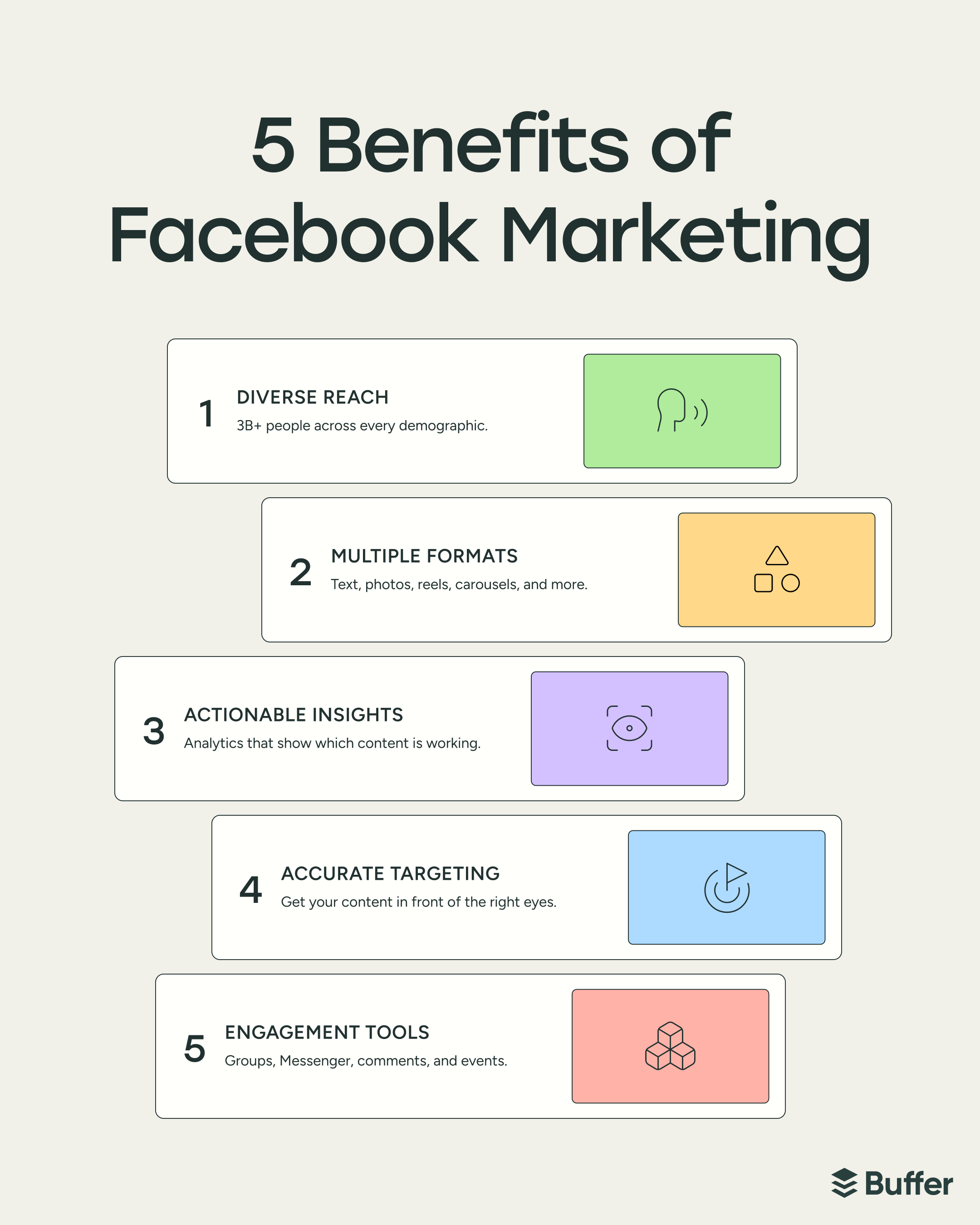
    The power of Facebook Marketing lies in its detailed audience tools. You can move beyond basic demographics and truly understand who your ideal customer is. This means digging into their interests, behaviors, and connections.

    Here’s how to make your audience targeting work better:

    • Use Audience Insights: This tool shows you aggregated data about people on Facebook, including what pages they like, where they live, and even their purchase behavior. It’s a goldmine for finding new target segments.
    • Create Custom Audiences: Got a list of emails or website visitors? Upload them! Facebook can match these people, allowing you to re-engage warm leads.
    • Build Lookalike Audiences: Once you have a custom audience of your best customers, Facebook can find other users who share similar characteristics. This expands your reach to new, highly relevant people.
    • Test, Test, Test: Don’t stick to one audience. Run campaigns targeting different groups simultaneously to see which performs best.

    This precision means less wasted ad spend and more eyes on your offerings from people who genuinely care.

    Facebook Marketing
    Photo by www.nulivo.com

    Content That’s Just Not Clicking?

    You spend hours crafting posts, but they get minimal likes, comments, or shares. It feels disheartening. Many brands struggle with content that just doesn’t resonate with their audience, leading to low engagement and a sense that their efforts are falling flat. This often happens when content is too salesy, repetitive, or doesn’t offer real value.

    The Fix: Be a Giver, Not Just a Taker

    Your audience uses Facebook to connect, be entertained, and learn. Your content needs to fit into that experience. Focus on creating value first.

    Consider these approaches:

    • Embrace Video: Short, punchy videos often grab attention more than static images. Think tutorials, behind-the-scenes glimpses, or quick tips.
    • Encourage Interaction: Ask questions, run polls, or create quizzes. Get people talking and sharing their opinions.
    • Share User-Generated Content: When customers share your product or service, repost it! This builds trust and shows real-world use.
    • Tell Stories: People connect with narratives. Share your brand’s journey, customer success stories, or how your product solves a real problem.
    • Mix it Up: Don’t just post product photos. Alternate with helpful articles, inspiring quotes, or fun facts related to your niche.

    “Great content isn’t about selling; it’s about solving, entertaining, or inspiring. When you do that consistently, sales follow.”

    Here’s a quick look at content approaches:

    Less Engaging Content (Common Mistake) More Engaging Content (Smarter Approach)
    Hard-sell product ads only Value-driven videos & helpful tips
    Generic stock photos Authentic user-generated content
    Long, text-heavy posts Short, interactive polls & questions
    Infrequent, inconsistent posting Regular, varied content schedule

    Budget Blues: Getting More Bang for Your Buck

    Is your ad budget disappearing faster than you can say “conversion rate,” without much to show for it? Many people struggle to see a clear return on their ad spend, making them question if paid Facebook Marketing is even worth it. This can stem from unclear objectives, poor ad structure, or not tracking the right metrics.

    The Fix: Strategic Spending & Clear Goals

    Treat your ad budget like an investment, not just an expense. Every dollar should work towards a specific goal.

    Ways to make your budget stretch further:

    • Define Your Objective: Before you even set up an ad, know what you want to achieve. Is it brand awareness, website traffic, leads, or sales? Your objective guides everything.
    • Use Campaign Budget Optimization (CBO): Let Facebook distribute your budget across ad sets that are performing well. This automates efficiency.
    • Monitor Ad Frequency: Seeing the same ad too many times can lead to ad fatigue and lower performance. Keep an eye on frequency and refresh your creatives.
    • Focus on Conversions: If sales are your goal, optimize for purchases. If leads are key, optimize for lead forms. Don’t just aim for clicks if clicks aren’t your end game.
    • Start Small, Scale Up: Begin with a smaller budget to test what works, then increase spending on your best-performing campaigns.

    This thoughtful approach keeps your costs down and your results up.

    Facebook Marketing
    Photo by wpmanageninja.com

    Measuring What Matters: Understanding Your Results

    You’ve run campaigns, spent money, and now you have a dashboard full of numbers. But what do they all mean? Many business owners feel overwhelmed by data and don’t know which metrics genuinely tell them if their Facebook Marketing is working. Without clear insights, it’s hard to make smart decisions.

    The Fix: Focus on Core KPIs with the Facebook Pixel

    To cut through the noise, you need to know what to look for and how to track it. The Facebook Pixel is your best friend here.

    Things to keep in mind:

    • Install the Facebook Pixel: This small piece of code on your website tracks visitor actions. It’s vital for understanding conversions, retargeting, and optimizing ads.
    • Understand Your Core Metrics:
      • ROAS (Return on Ad Spend): How much revenue you get for every dollar spent on ads.
      • CPA (Cost Per Acquisition/Action): How much it costs to get a new customer or lead.
      • Conversion Rate: The percentage of people who complete a desired action (like a purchase) after seeing your ad.
    • Set Up Custom Conversions: Define specific actions on your website (e.g., “thank you” page visit after a purchase) as conversions to track them accurately.
    • Look at Attribution: Understand which touchpoints in the customer journey led to a conversion. Facebook’s attribution tools can help with this.

    Tracking these numbers helps you see the real impact of your efforts.

    Staying Ahead of the Curve

    Facebook isn’t a static platform. Algorithms shift, new features pop up, and trends change constantly. It’s a real challenge to keep up, and many feel left behind when they don’t adapt to these changes. The fear of outdated strategies is a common concern.

    The Fix: Learn, Experiment, and Connect

    The digital landscape moves quickly, and Facebook is at the forefront. To stay relevant, you need a mindset of continuous learning and adaptation.

    Here’s how to stay updated:

    • Follow Official Resources: Facebook’s own business blog and blueprint courses offer updates and insights straight from the source.
    • Join Online Communities: Engage with other marketers and business owners in Facebook groups or forums. Sharing experiences helps everyone learn faster.
    • Allocate a Test Budget: Dedicate a small portion of your ad spend to experiment with new ad formats, targeting options, or features as they roll out.
    • Watch for Industry Trends: Pay attention to broader social media and digital marketing news. What’s working for others outside your immediate niche can inspire new ideas for your Facebook Marketing.

    Being proactive about learning keeps your strategies fresh and ready for what’s next.

    No matter the challenge you face with Facebook Marketing, there’s usually a clear path forward. By focusing on smart targeting, valuable content, efficient spending, clear measurement, and continuous learning, you can turn those frustrations into real growth. It’s about being strategic and adaptable, not just throwing money or effort at the platform. With the right approach, Facebook can truly become a powerhouse for your business.

    Hashtags

    FacebookMarketing, SocialMediaStrategy, DigitalMarketingTips, MarketingSolutions, FacebookAds, BusinessGrowth, OnlineAdvertising, ContentMarketing, TargetAudience, MarketingHacks

  • Mastering Facebook Marketing: Your Friendly Beginner’s Guide

    Mastering Facebook Marketing: Your Friendly Beginner’s Guide

    Mastering Facebook Marketing: Your Friendly Beginner’s Guide

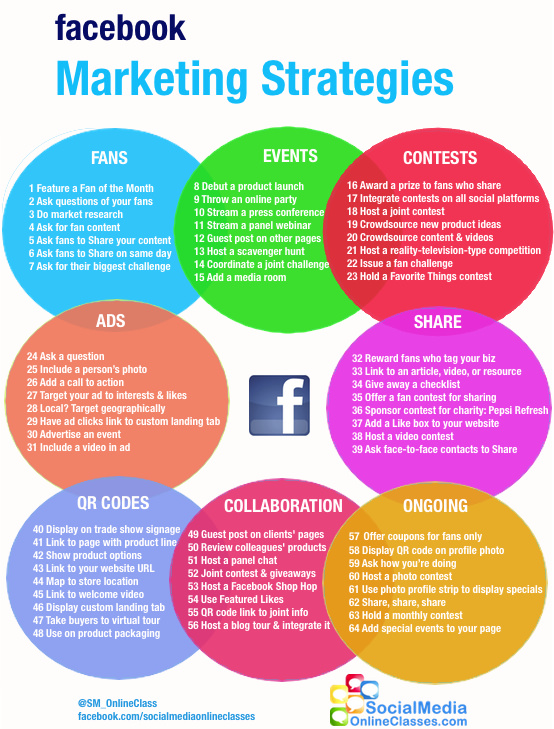
    Remember when Facebook was mostly about connecting with old high school friends and sharing vacation photos? Well, it’s still great for that, but it’s also grown into something much bigger for businesses. If you’re looking to share your passion, product, or service with more people online, understanding **Facebook Marketing** is a game-changer. It’s not as complex as it sounds; think of it as giving your business a friendly virtual storefront where millions of people hang out daily.

    Starting out can feel a bit like learning a new language, but stick with it. We’re going to walk through the basics together, making sense of how this giant platform can help you reach folks who are actually interested in what you do. It’s all about creating connections and getting your message seen.

    Facebook Marketing
    Photo by www.nulivo.com

    This guide is for anyone taking their first steps, whether you’re a small business owner, a freelancer, or just curious about expanding your reach. We’ll skip the fancy jargon and get straight to what works, giving you simple pointers to get started.

    Table of Contents

    What’s the Deal with Facebook Marketing?

    Simply put, **Facebook Marketing** means using the Facebook platform to connect with potential customers and grow your business. It’s about getting your brand in front of people, building a community around what you do, and ultimately, making sales. It’s a huge place – billions of users worldwide – so there’s a big audience waiting to hear from you.

    Think of it this way: instead of putting up flyers on a community board, you’re placing your message where many, many more people will see it. It lets you chat directly with customers, gather feedback, and show off your goods or services in a friendly, approachable way.

    Setting Up Your Facebook Business Page

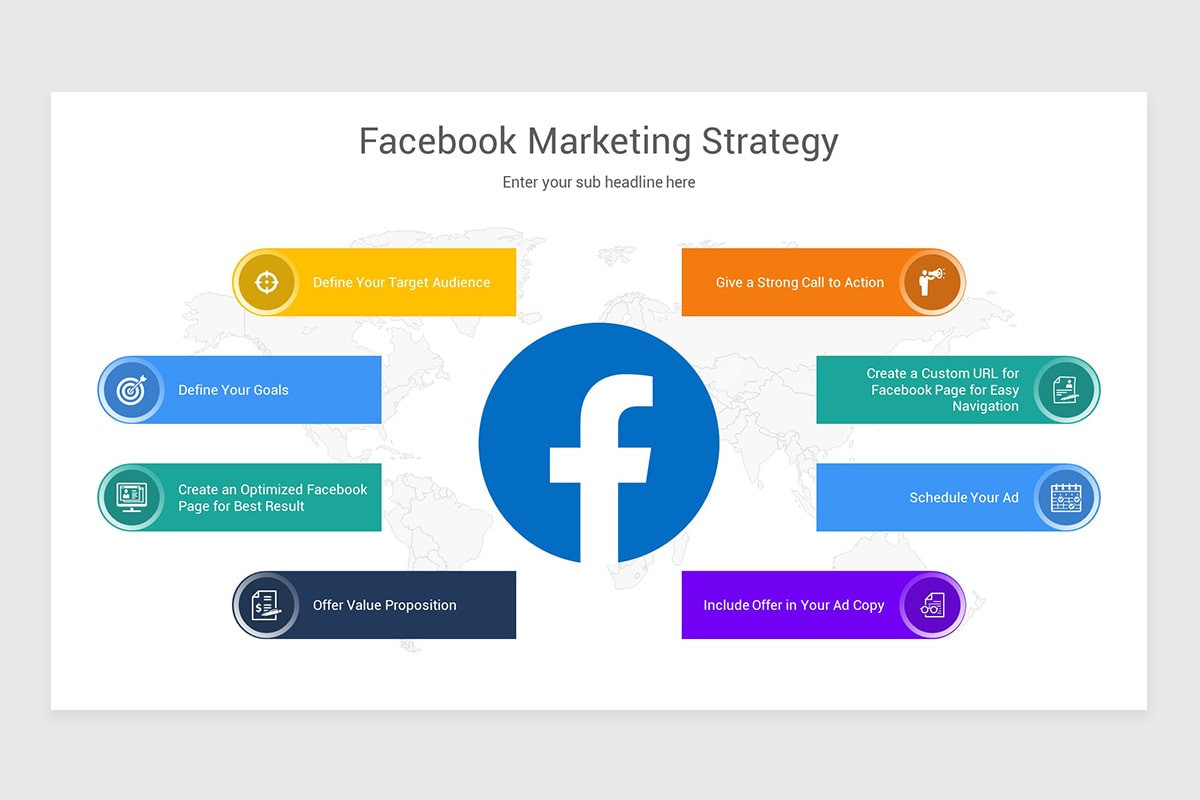
    Your first big step is creating a **Facebook Business Page**. This isn’t your personal profile; it’s a dedicated spot just for your business. It gives you special tools to help you reach more people.

    Here’s what you’ll need to make your page shine:

    • A great profile picture: This is usually your logo. Make sure it looks good small!
    • A striking cover photo: This big banner picture sits at the top of your page. Use it to show off what you do or a special offer.
    • A clear ‘About’ section: Tell people what your business is, where you’re located, and how to reach you. Keep it simple and direct.
    • A call-to-action button: This button, like “Shop Now” or “Contact Us,” helps people take the next step.

    Having all these pieces in place makes your page look professional and easy to use. People appreciate a page that gives them all the info they need upfront.

    Content That Clicks: What to Post

    Once your page is ready, it’s time to share! What you post makes a big difference in getting people interested. The best content isn’t just about selling; it’s about connecting and sharing value.

    Think about these types of posts:

    • Eye-catching photos and videos: Visuals grab attention fast. Show off your products, behind-the-scenes moments, or happy customers.
    • Helpful tips or advice: If you’re a baker, share a simple frosting tip. If you sell plants, give advice on watering.
    • Questions that spark conversation: Ask your audience for their opinions or preferences. This gets them talking!
    • Stories: People love hearing about the journey. Share a little about how your business started or a success story.

    The best Facebook content often makes people stop scrolling. It connects with them, makes them smile, or teaches them something new.

    Facebook Marketing
    Photo by wpmanageninja.com

    Posting regularly helps keep your audience engaged. You don’t need to post all day, every day, but aim for a steady rhythm. This keeps your business fresh in people’s minds.

    Understanding Facebook Ads: The Basics

    Okay, so you’ve got a great page and awesome content. But what if you want to reach even more people than your followers? That’s where **Facebook Ads** come in. Think of ads as a megaphone that helps your message travel further, specifically to people who might be really interested.

    You can tell Facebook exactly who you want to see your ad. This is super handy! You can target people based on things like:

    • Their age and location.
    • Their interests (e.g., “loves cooking,” “enjoys hiking”).
    • Even pages they already follow.

    This “targeting” means your ad budget goes towards showing your content to the *right* eyes, not just any eyes. You set a budget, and Facebook tries to get you the best bang for your buck.

    Here’s a quick look at how organic (free) posts and paid ads differ:

    Feature Organic Posts (Free) Paid Ads
    Reach Mainly your followers and their friends (if they share). Reaches specific groups of people, even those who don’t follow you.
    Control Less control over who sees it. Lots of control over audience, budget, and timing.
    Speed Growth can be slower. Can bring results faster, especially for new audiences.
    Cost Free (just your time). Costs money (you set the budget).

    For beginners, starting with a small ad budget to promote a popular post or a special offer is a smart way to learn the ropes.

    Keeping an Eye on Things: Analytics 101

    How do you know if your Facebook efforts are actually working? Facebook gives you a cool tool called **Insights** (you’ll find it on your business page). It’s like a scoreboard for your page.

    Insights shows you things like:

    • Reach: How many unique people saw your posts.
    • Engagement: How many people liked, commented, or shared your posts.
    • Page Views: How many times your page was looked at.
    • Audience Demographics: Who your followers are (age, location, etc.).

    Looking at these numbers helps you figure out what your audience likes best. If a certain type of post gets a lot of likes and shares, make more of those! If another post falls flat, you know to try something different next time. It’s all about learning and adjusting.

    Quick Wins for Beginners

    Ready to jump in? Here are a few simple tips to help you get going with **Facebook Marketing**:

    • Fill out your page completely: A fully detailed page looks professional and trustworthy.
    • Invite your friends: Ask your existing network to like your new business page. It’s a great starting point.
    • Post consistently: Even a few times a week is better than nothing. Keep your audience used to seeing you.
    • Engage back: When people comment or message, reply! Being responsive builds loyalty.
    • Try different content: Don’t be afraid to experiment with photos, videos, questions, or polls. See what sticks.
    • Start small with ads: Pick one popular post and give it a little boost with a small budget. Observe what happens.
    Facebook Marketing
    Photo by getvectorlogo.com

    Getting started with Facebook for your business doesn’t need to be overwhelming. Take it one step at a time, have fun with it, and focus on connecting with people. You’ve got this!

    ### Hashtags
    FacebookMarketing, SocialMediaForBeginners, DigitalMarketingTips, SmallBusinessGrowth, OnlinePresence, MarketingMadeEasy, ConnectWithCustomers, GrowYourBusiness, SocialMediaStrategy, BeginnersGuide

  • Tired of the Treadmill? How AI Automation Rescues Your Day

    Tired of the Treadmill? How AI Automation Rescues Your Day

    Tired of the Treadmill? How AI Automation Rescues Your Day

    Ever feel like your to-do list just multiplies overnight? You’re not alone. Many of us are stuck in a cycle of repetitive tasks, chasing deadlines, and wishing for more hours in the day. It’s draining, and it keeps us from focusing on the truly meaningful work that actually moves things forward. That feeling of being perpetually busy, yet not always productive, is a common modern struggle.

    Imagine having a smart assistant that handles all those tedious bits, giving you back precious time and mental energy. This isn’t a sci-fi dream; it’s the reality with AI automation, and it’s changing how we work for the better.

    ai automation
    Photo by sphinxjsc.com

    AI automation steps in to take over the tasks that eat away at your day, freeing you up to be more creative, strategic, and frankly, happier. It’s about leveraging smart tools to make your professional life less about the grind and more about growth.

    The Daily Grind: Why We’re All Feeling It

    Let’s be honest, many jobs come with their fair share of mundane chores. These aren’t the tasks that ignite passion or drive innovation, but they still need doing. And they take up a lot of time.

    The Repetitive Task Trap

    Think about all the manual data entry, the endless email sorting, or scheduling meetings back and forth. These tasks are necessary, but they’re also huge time sinks. They zap your energy and keep you from focusing on the bigger picture. It feels like you’re constantly running on a hamster wheel.

    Drowning in Information

    Another big headache is the sheer volume of information. We’re constantly bombarded with data, reports, and messages. Sifting through it all to find what’s important, analyze trends, or make quick decisions can be overwhelming. Mistakes happen when you’re overloaded.

    AI Automation: Your New Secret Weapon

    This is where AI automation shines. It’s not about replacing people; it’s about making your work easier and more effective. Think of it as having a highly capable assistant that never gets tired or makes a typo.

    AI tools can handle those predictable, rule-based tasks with incredible speed and accuracy. This frees up human talent to concentrate on what we do best: thinking creatively, solving complex problems, and connecting with others. It’s a shift from ‘doing’ to ‘leading’.

    ai automation
    Photo by hbr.org

    How AI Automation Tackles Your Toughest Challenges

    Let’s break down how this technology directly addresses those common pain points.

    Problem: Time-Consuming Drudgery

    Solution: Automating Mundane Tasks

    The biggest win for AI is taking over the tasks that simply drain your clock.

    • Email Triage: AI can sort, prioritize, and even draft responses to common inquiries.
    • Data Entry & Management: No more copying and pasting. AI can extract info and update databases.
    • Scheduling & Reminders: Let AI find the perfect meeting slot and send out confirmations.
    • Report Generation: Automated reports mean you get insights faster, without the manual compilation.

    This gives you a huge chunk of your day back, allowing you to focus on strategy and engaging work.

    Problem: Missed Opportunities & Human Error

    Solution: Precision and Insight

    When tasks are manual, errors can happen. AI tools work with incredible consistency, spotting things humans might miss.

    “AI automation isn’t just about speed; it’s about accuracy and finding patterns that open up new possibilities.”

    AI can monitor systems, flag anomalies in financial data, or identify potential issues in customer service interactions. This leads to fewer mistakes and more reliable outcomes.

    Problem: Slow Decision-Making

    Solution: Fast, Data-Backed Choices

    Waiting for someone to manually crunch numbers or analyze market trends can slow everything down.
    AI can process massive amounts of data in moments, giving you clear insights to inform your choices. From understanding customer behavior to predicting market shifts, automated analysis means you can react faster and with more confidence.

    Making AI Automation Work for You: Practical Steps

    Thinking about bringing AI automation into your workflow? It doesn’t have to be complicated. Start small and watch the benefits grow.

    ai automation
    Photo by www.linkedin.com

    Here are some tips to get started:

    • Spot Your Biggest Pain Point: Which task do you dread most? That’s likely a good candidate for automation.
    • Explore User-Friendly Tools: Many platforms offer straightforward ways to automate workflows without needing to be a tech wizard.
    • Focus on Impact: Prioritize tasks where automation will save the most time or prevent the most errors.
    • Think of it as a Partner: AI isn’t here to replace your skills, but to enhance them. Use it to free up your unique human strengths.

    To illustrate the difference, consider a common business process:

    Aspect Manual Process (Example: Customer Inquiry) AI Automation (Example: Customer Inquiry)
    Initial Response Time Varies (minutes to several hours, depending on volume) Instant (chatbot or automated email)
    Information Gathering Agent manually asks questions, searches databases AI collects relevant info, pre-fills forms, retrieves data
    Problem Resolution Agent solves, escalates, or researches AI handles common issues, routes complex ones to the right person
    Employee Focus Repetitive Q&A, data lookup Complex problem-solving, empathy, building relationships

    Your Future with AI Automation

    Embracing AI isn’t just about making your current work easier; it’s about shaping a more productive and fulfilling future. It allows you to step away from the mundane and lean into what makes your work truly impactful. By letting intelligent tools handle the repetition, you gain the freedom to innovate, strategize, and truly connect. It’s about working smarter, not just harder.

    ### Hashtags
    aiautomation, productivity, worklife, digitaltransformation, futureofwork, smarttools, efficiency, innovation, techsolutions

  • Tired of Coding Headaches? How Claude Code Makes Life Easier

    Tired of Coding Headaches? How Claude Code Makes Life Easier

    Tired of Coding Headaches? How Claude Code Makes Life Easier

    Ever found yourself staring at a blank editor, cursor blinking, with a deadline looming and not a single line of code written? Or maybe you’ve spent hours debugging a stubborn error, feeling like you’re talking to a brick wall. Coding can be amazing, but it also comes with its fair share of frustrating moments.

    Sometimes, the mental block is real. The logic feels tangled, the syntax elusive, or you just can’t remember that one specific library function. These moments can drain your motivation, making even your favorite projects feel like a chore.

    claude code
    Photo by hieufromwaterloo.ca

    The good news? There’s a smarter way to tackle these common coding pains. Think of having an incredibly knowledgeable, patient coding buddy right there with you. This is where **Claude code** comes into play, offering a fresh perspective and a helping hand when you need it most. It’s about changing how you build, debug, and learn, making the whole process smoother and much less stressful.

    Table of Contents

    The Code Conundrum: Why Developers Get Stuck

    Let’s face it, coding isn’t always a walk in the park. Even seasoned pros hit walls. What are some of those recurring issues that make us pull our hair out?

    • Blank Page Syndrome: Starting a new feature or project can be paralyzing. Where do you even begin? What’s the best structure?
    • Debugging Nightmares: That sneaky bug hiding in plain sight, making your program crash for no apparent reason. Hunting it down feels like searching for a needle in a haystack.
    • Understanding Foreign Codebases: Inheriting someone else’s code can be a puzzle. Deciphering complex logic or unfamiliar patterns takes serious effort.
    • Syntax Struggles & Boilerplate Blues: Remembering exact syntax for every language and framework, or writing repetitive setup code, can be a time sink.
    • Writer’s Block for Documentation: Writing clear, helpful comments and documentation often falls to the bottom of the priority list, but it’s super important.

    These pain points aren’t just minor annoyances; they slow down projects, increase stress, and sometimes even lead to burnout. Imagine if you had a resource that could jump in and simplify these moments.

    Unlocking Potential with Claude Code

    This is where integrating **Claude code** generation and assistance into your workflow becomes a game-changer. Claude isn’t just spitting out random lines; it understands context, follows instructions, and helps you craft better code.

    “Think of Claude not as a replacement for your brain, but as a super-powered assistant that handles the tedious, the complex, and the ‘I-can’t-remember’ tasks, freeing you to focus on the big picture.”

    Here’s how it tackles those common struggles head-on:

    • Say Goodbye to Blank Pages: Need a basic Flask app structure? Or a React component with state? Just ask Claude. It can generate initial boilerplate, saving you valuable setup time and getting you past that intimidating blank screen.
    • Your Debugging Detective: Stuck on an error? Paste your code and the error message into Claude. It can often pinpoint the issue, explain *why* it’s happening, and suggest fixes. It’s like having an extra pair of expert eyes.
    • Deciphering Complex Logic: Got a function you don’t quite grasp? Claude can break down complicated code blocks, explaining what each part does and how they work together. This is a lifesaver for learning or navigating legacy systems.
    • Syntax and Boilerplate Made Easy: Forget that obscure method name or how to correctly set up a database connection. Claude knows. It can provide correct syntax examples, generate common functions, or even help you write tests.
    • Documentation Done Better: Need to document a complex function? Claude can draft comments, docstrings, or even full README sections based on your code. This helps keep your projects tidy and understandable for everyone.

    Claude Code in Action: Real-World Helpers

    Let’s look at some practical scenarios where Claude really shines.

    Starting New Projects with a Head Start

    Imagine you’re building a simple web API. Instead of manually setting up routes, models, and basic CRUD operations, you could prompt Claude: “Write a Python Flask API that manages a list of books, with endpoints for adding, listing, updating, and deleting.” You’d get a functional starter code in moments.

    Fixing Stubborn Bugs

    You have a JavaScript function that’s supposed to sort an array, but it keeps throwing `TypeError: Cannot read properties of undefined`. You paste the function and the error. Claude might respond: “It looks like you’re trying to call `map()` on `undefined`. This often happens when the array you’re trying to sort is empty or hasn’t been initialized correctly before this function runs. Consider adding a check to ensure `myArray` exists and is an array before processing.” It can even offer a corrected version.

    claude code
    Photo by specterops.io

    Learning New Concepts Quickly

    Trying to understand asynchronous programming in JavaScript? Ask Claude: “Explain `async/await` in JavaScript with a simple, practical example.” It will provide a clear explanation and a small, runnable code snippet demonstrating the concept. This instant feedback loop helps you learn much faster than sifting through documentation.

    Improving Code Quality and Readability

    You’ve got a long, somewhat messy function. You can ask Claude: “Refactor this Python function to be more readable and efficient.” It might suggest breaking it into smaller helper functions, using list comprehensions, or adding more descriptive variable names.

    Here’s a quick comparison of traditional coding versus coding with Claude’s assistance:

    Coding Challenge Traditional Approach With Claude’s Assistance
    Project Setup Manual config, boilerplate copy/paste, internet searches. Generates initial project structure and basic files instantly.
    Debugging Hours of `print()` statements, trial-and-error, forum searches. Explains errors, suggests fixes, and points to problematic areas.
    Learning New Tech Reading docs, tutorials, multiple examples. Provides instant explanations, tailored examples, and clarifications.
    Code Refactoring Manual restructuring, personal review, peer reviews. Suggests improvements for readability, efficiency, and best practices.
    Documentation Often an afterthought, manual writing, time-consuming. Drafts comments, docstrings, and README sections based on code.

    Making the Most of Claude’s Coding Skills

    Getting the best out of **Claude code** assistance involves a bit of finesse. It’s about being a good communicator.

    • Be Specific: The more detail you give, the better the output. Instead of “write code,” try “write a Python function that calculates the factorial of a number, handles negative inputs by returning an error message, and includes a docstring.”
    • Provide Context: If you’re working on an existing codebase, paste relevant snippets. Tell Claude about the surrounding logic or what you’re trying to integrate with.
    • Iterate and Refine: Don’t expect perfection on the first try. If the initial output isn’t quite right, tell Claude what needs changing. “That’s good, but can you use `async/await` instead of Promises?”
    • Learn from It: Don’t just copy-paste. Read the code Claude generates. Understand *why* it chose a certain approach. This helps you grow your own skills.
    • Double-Check Everything: Claude is super smart, but it’s not infallible. Always test and review any generated code before putting it into production. It’s a tool, not a magic bullet.
    claude code
    Photo by levelup.gitconnected.com

    Using Claude wisely means seeing it as an extension of your own capabilities, helping you work smarter, not necessarily harder.

    Looking Ahead: The Future of Your Code

    The way we build software is changing quickly, and tools like Claude are a big part of that shift. Embracing these new forms of assistance doesn’t diminish your skills; it amplifies them. It frees you from the mundane, lets you explore new ideas faster, and keeps you moving forward when you might otherwise get stuck.

    So, next time you’re facing a coding challenge, consider bringing Claude into the conversation. It might just be the coding partner you never knew you needed.

    ### Hashtags
    ClaudeCode, AIinCoding, DeveloperTools, ProblemSolution, CodingTips, TechLife, BoostProductivity, CodeHelper, FutureofDev, LearningToCode

  • Unpacking Gemini: A Friendly Chat for Newcomers

    Unpacking Gemini: A Friendly Chat for Newcomers

    Unpacking Gemini: A Friendly Chat for Newcomers

    Ever feel like the tech world is speaking a secret language? One day everyone’s talking about something new, and you’re just nodding along, wondering what all the fuss is about. Well, if you’ve heard the buzz around Gemini lately, you’re not alone. It might sound like something out of a sci-fi movie, but it’s actually a pretty neat bit of tech that’s becoming a part of our daily digital lives.

    Forget the jargon and the complicated explanations. We’re just going to hang out and figure out what Gemini is, why it matters, and how you can get started playing around with it. Think of this as your easy-peasy guide to getting comfortable with a powerful new tool. It’s all about making sense of something cool without feeling overwhelmed.

    gemini
    Photo by cloud.google.com

    Ready to dive in? This isn’t about becoming an expert overnight. It’s about pulling back the curtain and seeing what Gemini offers in a way that feels totally approachable. You might just find a new digital helper you never knew you needed!

    What’s the Big Deal with Gemini?

    Alright, let’s cut to the chase. Gemini is Google’s fancy term for its latest and most capable Artificial Intelligence (AI) model. Think of AI as super-smart computer programs that can learn, understand, and even create things. For a long time, AI models were good at one thing: text. They could write emails, summaries, or poems.

    The thing that makes Gemini stand out is that it’s designed to be what we call “multimodal.” That’s a bit of a techy word, but it just means it can understand and work with different kinds of information all at once. Not just text, but pictures, sounds, and videos too!

    Imagine asking a friend for advice. You might show them a photo, describe what happened, and even play a short voice note. Gemini aims to be that kind of friend – one who “gets” context from all sorts of inputs.

    A Quick Look at Multimodality

    So, what does this “multimodal” superpower mean in simple terms?

    It means Gemini can:

    • See and Understand Images: Show it a picture of a broken gadget, and it might guess what it is or suggest a fix.
    • Listen and Process Audio: It could potentially understand spoken questions or even analyze a sound clip.
    • Watch and Grasp Video: Imagine asking it to summarize a long video you just watched.
    • Read and Write Text: Of course, it’s still amazing at all the text stuff you might expect, from drafting emails to brainstorming ideas.

    This mix-and-match ability lets Gemini tackle problems that older AIs found tricky. It sees the bigger picture, literally!

    Why Should You Care About Gemini?

    You might be thinking, “That’s cool, but how does this help *me*?” Good question! Gemini isn’t just for tech gurus. It’s built to make everyday digital tasks smoother and more intuitive for everyone.

    Think about situations where you need a bit of a brain boost:

    • Brainstorming Ideas: Stuck on what to make for dinner? Ask Gemini for ideas based on what’s in your fridge (you could even show it a picture!).
    • Learning New Things: Need a simple explanation of a complex topic? Gemini can break it down for you.
    • Getting Creative: Want help writing a story, designing a party invite, or even just coming up with a catchy caption? It’s got your back.
    • Organizing Information: Got a mountain of notes? Ask Gemini to summarize them or pull out key points.

    It’s like having a super-smart assistant who’s always ready to help you think, create, and understand.

    gemini
    Photo by workspaceupdates.googleblog.com

    Here’s a quick peek at how it moves beyond older AI interactions:

    Older AI Interactions Gemini Interactions (A Step Up)
    You type a question, it types an answer. You can show it a photo, speak a question, and it responds with text or even new images.
    Good for text-only tasks. Great for tasks blending text, visuals, and sounds.
    Can feel a bit like talking to a search engine. Feels more like a collaborative partner, understanding context from different types of info.

    Getting Started with Gemini: Practical Moves for Newbies

    Alright, let’s talk practicals. Getting started with Gemini is surprisingly simple. You usually interact with it through a chat interface, like talking to a messaging app.

    Here are a few tips to get you going:

    • Start Simple: Don’t try to solve world peace on your first go. Ask it easy questions. “Tell me a fun fact about giraffes.” or “What are some easy weeknight dinner ideas?”
    • Be Clear: The clearer your request, the better the answer. Instead of “Write something,” try “Write a short, friendly email to my neighbor about borrowing their ladder this weekend.”
    • Experiment with Different Inputs: If the platform allows, try uploading a photo and asking a question about it. “What kind of flower is this?” or “Can you help me caption this picture?”
    • Iterate: If the first answer isn’t quite right, tell it! “Can you make it shorter?” or “Add more humor to that story.” It learns from your feedback.

    “Think of Gemini as a creative partner. The more specific you are, the more amazing things you can create together.”

    Do’s and Don’ts for Talking to Gemini

    • Do: Use natural language. Chat with it like you would a person.
    • Don’t: Expect perfection every time. It’s super smart, but still a computer program.
    • Do: Ask follow-up questions to refine its answers.
    • Don’t: Share private or sensitive personal information. Keep your interactions general.
    gemini
    Photo by www.puzzle-usa.com

    The Future Vibe of Gemini

    We’re just seeing the tip of the iceberg with what Gemini can do. As it continues to evolve, it will likely become even more integrated into the tools we use daily. Imagine your phone understanding complex requests that combine voice, text, and visual cues without a hitch.

    It’s all about making technology more human-friendly and less intimidating. The goal is to let you focus on what you want to do, and let Gemini help with the heavy lifting of understanding and creating. It’s an exciting time to explore these new digital possibilities.

    Ready to give it a whirl? Play around, ask questions, and see what you can make together. The best way to understand something new is to just start trying it out. Happy exploring!

    ### Hashtags
    GeminiAI, AIForBeginners, GoogleGemini, SimplifyingTech, FutureOfAI, SmartTech, DigitalLife, LearnAI, TechMadeEasy, AIExplained

  • The Future is Yours: Unlocking Potential with Free AI Tools

    The Future is Yours: Unlocking Potential with Free AI Tools

    Remember when AI felt like something out of sci-fi movies, reserved for huge labs or super-secret projects? Well, things have shifted dramatically. Now, anyone with an internet connection can tap into serious artificial intelligence capabilities, often without spending a dime. We’re talking about free AI tools that are changing how we work, learn, and create. It’s a truly exciting time.

    One quick search reveals a growing universe of these digital helpers, ready to tackle everything from writing emails to generating images or even helping you code. This isn’t just a fleeting trend; it’s a fundamental change in how technology empowers individuals and small businesses. We’re stepping into an era where advanced tech is genuinely accessible to everyone.

    free ai tools
    Photo by www.linkedin.com

    This accessibility means more creativity, more efficiency, and new paths for innovation opening up daily. Imagine having a personal assistant, a design studio, or a coding partner, all powered by AI, and all available at no direct cost. The impact is already huge, but what does the road ahead look like for these amazing resources? Let’s peek into tomorrow.

    Democratizing Innovation: The Rise of Free AI Tools

    For many, the idea of using AI used to feel complex, maybe even a bit intimidating. Not anymore. Free AI tools have busted through those barriers, making sophisticated capabilities available to pretty much anyone. Think about content generation, quick data analysis, or even image editing – tasks that once needed specialized skills or pricey software.

    Now, a student can whip up a presentation, a small business owner can craft marketing copy, and a hobbyist artist can create stunning visuals, all with a few clicks. This shift isn’t just making things easier; it’s creating entirely new opportunities.

    “The real magic of free AI isn’t just about what it can do, but who it empowers to do it.”

    This wave of accessible AI means more voices can be heard, more ideas can be explored, and more dreams can take flight. It’s a leveling of the playing field, where talent and imagination matter more than budget or technical background.

    A Glimpse at Current Free Offerings

    Right now, the landscape of free AI tools is broad. You’ll find options for:

    • Writing assistants: Helping you brainstorm, edit, and write anything from emails to blog posts.
    • Image generators: Turning text prompts into unique artwork or photos.
    • Audio tools: Transcribing speech, synthesizing voices, or removing background noise.
    • Productivity enhancers: Summarizing documents, organizing tasks, or generating quick reports.

    These tools often come with usage limits or feature restrictions in their free versions, but they still pack a punch. They offer a fantastic entry point to understanding AI’s capabilities without any financial commitment.

    Beyond the Basics: What Comes Next for Free AI

    So, if free AI is already this good, where does it go from here? The future looks like a wild ride, with several key trends shaping how these tools will evolve. Expect them to become even more specialized, smarter, and deeply embedded in our daily routines.

    free ai tools
    Photo by www.facebook.com

    One big trend points towards hyper-personalization. Imagine AI tools that learn your specific writing style, your design preferences, or your unique workflow habits over time. They won’t just offer generic help; they’ll anticipate your needs and suggest solutions that feel custom-made just for you. This means a truly tailored experience for everyone.

    The Rise of Specialized ‘Micro-AIs’

    We’ll likely see a boom in highly specific free AI tools. Instead of one AI trying to do everything, you’ll find micro-AIs tailored for niche tasks.

    • An AI specifically for optimizing social media captions for specific platforms.
    • Another for generating unique workout plans based on real-time fitness data.
    • Even tools for precise scientific data visualization or local dialect translation.

    These specialized tools will bring expert-level assistance to areas where it was once unreachable, broadening the appeal of free AI tools even further.

    Specialization and Integration: A Smarter Tomorrow

    The future of free AI isn’t just about what individual tools can do; it’s about how they talk to each other and fit into our lives. Think about how apps on your phone connect and share information. AI tools are headed in that direction, becoming invisible helpers.

    Seamless Integration into Everyday Apps

    Picture this: your email client might soon have a free AI assistant built right in, helping you draft replies that match your tone. Your photo editor could automatically suggest corrections or even generate background elements using AI, all without you needing to open a separate application.

    This means less switching between tools and more working within the platforms you already use. It’s about AI becoming part of the fabric of your digital experience, making things smoother and faster without you even realizing it.

    Open-Source Power: The Community’s Role

    The open-source community plays a huge part in the growth of free AI. Many groundbreaking AI models start as open-source projects, allowing developers worldwide to tinker, improve, and build upon them. This collaborative spirit drives rapid innovation and ensures that advanced AI techniques are shared and made available to everyone.

    Future free AI tools will rely even more on this open-source foundation, leading to more robust, transparent, and user-driven developments.

    Ethical Horizons and Responsible Use

    As free AI tools become more powerful and widespread, conversations around ethics and responsibility will only grow. What happens to data privacy when everyone uses AI? How do we address biases that might creep into AI models? These are important questions.

    Providers of free AI will face increasing pressure to be transparent about how their models work and what data they use. Users, too, will need to be mindful. Understanding the limitations and potential pitfalls of any AI tool is key, whether it costs money or not.

    “With great accessibility comes the need for great responsibility, both from creators and users of AI.”

    It’s a shared journey. We’ll likely see more emphasis on AI literacy, helping people understand how these tools function and how to use them ethically and effectively.

    Let’s look at some predicted shifts for free AI tools:

    Current Focus Future Trend Impact on Users
    General task assistance (e.g., text generation) Hyper-specialized micro-AIs for niche needs More precise, expert-level help for unique tasks
    Separate, distinct tools Deep integration into existing software Seamless workflows, AI as an invisible assistant
    Basic personalization based on inputs Learned personalization from user habits Truly tailored suggestions and outputs
    Focus on immediate utility Ethical transparency & AI literacy Increased trust, informed decision-making

    Getting Ready for the AI Era: Practical Steps

    The future of free AI tools is arriving quickly, and it offers incredible potential. Getting ready means being open to exploring, learning, and adapting. You don’t need to be a tech wizard; just a curious mind.

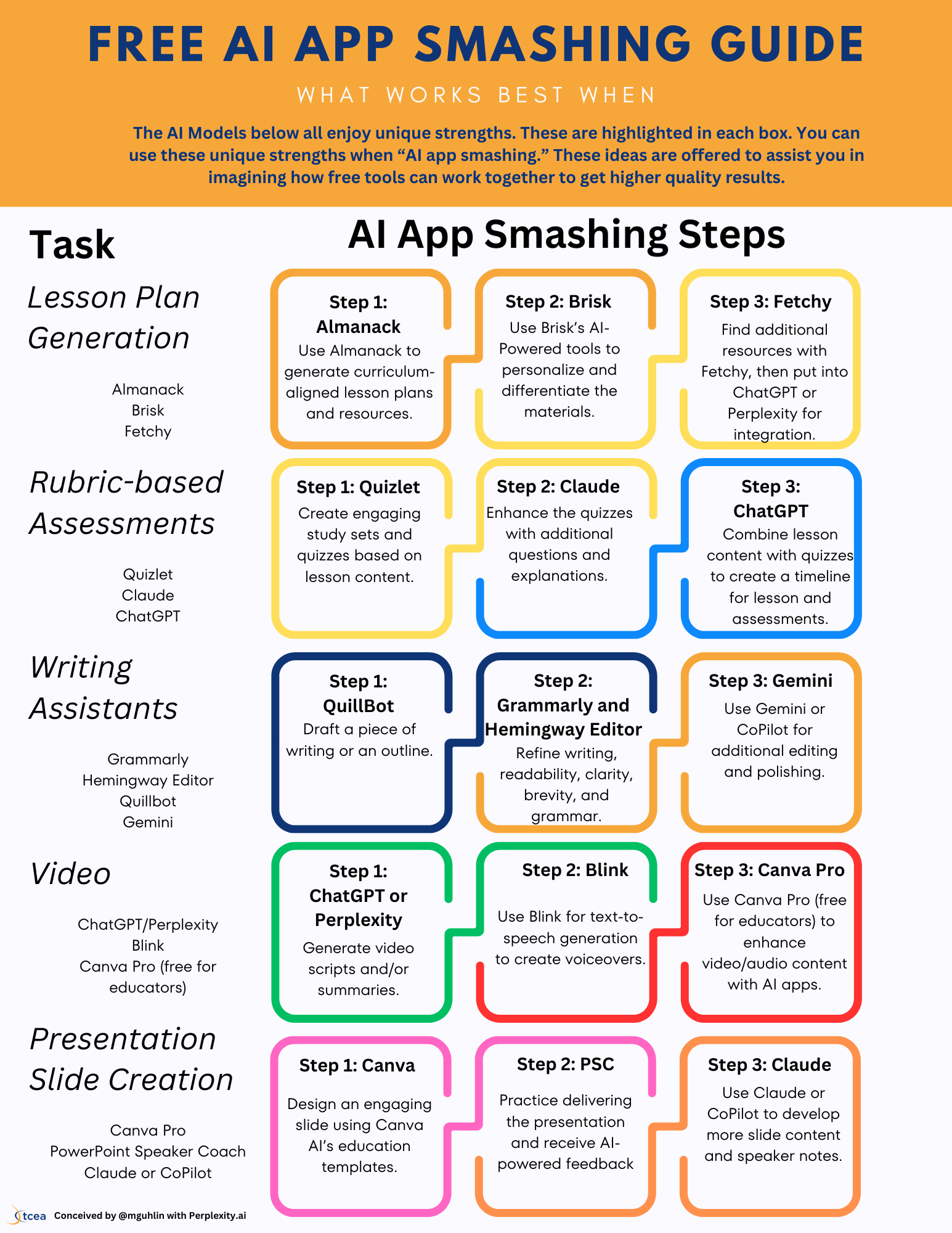
    free ai tools
    Photo by blog.tcea.org

    Here are a few simple ways to stay ahead:

    • Experiment constantly: Try out new free AI tools as they emerge. Play with different prompts and settings.
    • Understand the basics: Learn how AI models work at a high level. Knowing what generative AI is, for example, helps you use it better.
    • Share and connect: Talk about your experiences with others. Join online communities focused on AI to learn from different perspectives.
    • Think critically: Always evaluate the output from AI tools. They are helpers, not replacements for human thought and discernment.

    The journey with AI is a collaborative one. By engaging with these free resources thoughtfully, we can all help shape a future where technology truly serves everyone. It’s not about being replaced; it’s about being amplified.

    ### Hashtags
    freeaitools, futuretech, AIpredictions, innovation, techtrends, digitaltransformation, aitools, openAI, futureofwork, learnAI, techforgood, aiethics

  • A Friendly Guide to SaaS: Software, Simplified for You

    A Friendly Guide to SaaS: Software, Simplified for You

    A Friendly Guide to SaaS: Software, Simplified for You

    Remember the old days when you bought a disc, installed software on your computer, and hoped it wouldn’t crash? Or when you had to wait for big updates, download them manually, and keep track of license keys? It felt a bit clunky, didn’t it? Things are different now, thanks to something called SaaS.

    It’s like getting your favorite movies or music delivered right to your screen without buying a physical copy or worrying about storage space on your device. Just open an app or a web browser, and you’re good to go. This shift has changed how we use software every day, making things much smoother and more accessible for everyone.

    saas
    Photo by learn.microsoft.com

    This new way of getting and using software is all about convenience. You get the tools you need, exactly when you need them, without a ton of setup or IT fuss. It really takes the headache out of keeping your digital tools running.

    Table of Contents

    What Even *Is* SaaS?

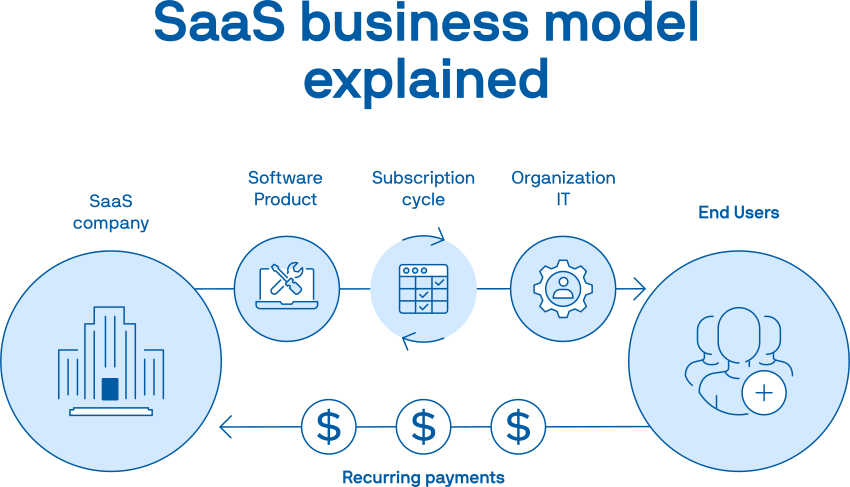
    Alright, let’s talk about **SaaS**. It stands for Software as a Service. Sounds fancy, but it’s super simple. Think of it like this: instead of buying a software program and installing it on your computer forever, you “rent” it over the internet.

    Imagine Netflix or Spotify. You don’t own the movies or songs, right? You pay a subscription, and you can watch or listen whenever you want, from pretty much anywhere. **SaaS** works the same way for software tools. You don’t install anything onto your computer’s hard drive; you access the software through your web browser or a simple app that connects to the internet.

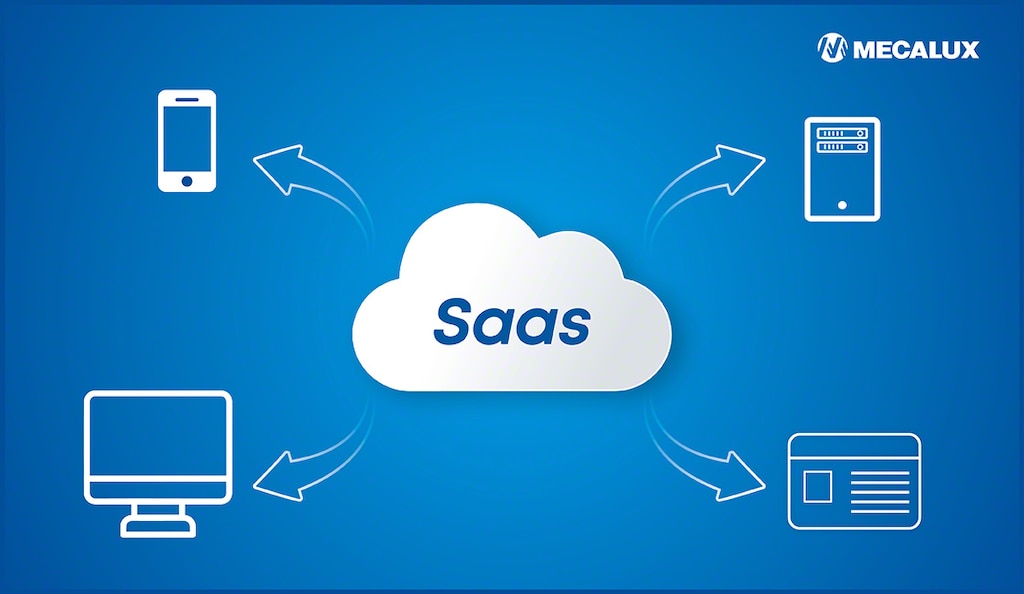
    The actual software lives on big servers somewhere far away, often referred to as “the cloud.” All you need is an internet connection and a device – your laptop, tablet, or phone – and you’re in business. It’s software ready to go, whenever and wherever you are.

    The Magic Behind How SaaS Works

    The secret sauce for **SaaS** is “the cloud.” Don’t let that term scare you! It simply means that the software and all its data are stored and run on internet servers instead of directly on your own device.

    Here’s the cool part:

    • No installations: You just sign up, log in, and start using it. No downloads, no messy setup files.
    • Subscription model: Instead of a big one-time payment, you usually pay a small monthly or yearly fee. This makes it much easier to budget and try new tools without a huge commitment.
    • Automatic updates: The company providing the **SaaS** takes care of all the updates, security patches, and maintenance. You always have the newest version without lifting a finger.
    • Access anywhere: Since it’s internet-based, you can often log in from any device, anywhere in the world, as long as you have internet. Your work follows you.

    “SaaS means you get to use powerful software without ever worrying about installing it, updating it, or fixing it. The tech team takes care of all that for you.”

    This setup means businesses, big and small, and even individuals, can use powerful tools that used to be only for companies with huge IT departments. **SaaS** isn’t just for big businesses; it’s for everyone.

    A Look at Common SaaS Examples

    You’re probably using **SaaS** already without even realizing it!

    • Email & Office Tools: Think Gmail, Microsoft 365 (Word, Excel, PowerPoint online). You access these through a browser, and your documents save to the cloud.
    • Collaboration Apps: Tools like Slack for team chat, Asana or Trello for project management. They let you work with others from different locations.
    • Design & Creativity: Canva, a popular graphic design tool, is a prime example. You create designs online, and they’re saved in your account.
    • Customer Management: Programs like HubSpot or Salesforce help businesses keep track of their customers and sales.
    • Video Conferencing: Zoom and Google Meet are classic **SaaS** tools for connecting with people face-to-face online.
    saas
    Photo by www.parallels.com

    Why So Many Folks Love Using SaaS

    There are a bunch of reasons why **SaaS** has become such a hit. People appreciate the freedom and simplicity it brings.

    • Always Current: The software is updated automatically. You always have the latest features and security.
    • Budget-Friendly: Instead of a big upfront cost, you pay a regular, smaller fee. It’s easier on the wallet and helps with cash flow.
    • Work From Anywhere: With an internet connection, your office is wherever you are. This is fantastic for remote work or working on the go.
    • Easy to Try: Many **SaaS** products offer free trials. You can test them out to see if they fit your needs before committing any money.
    • No Tech Headaches: The provider handles all the server maintenance, security, and updates. You don’t need a tech expert on staff just to keep things running.

    Some Things to Keep in Mind

    While **SaaS** offers a lot of good, there are a few things to think about:

    • Internet Dependence: No internet, no software. This can be a bummer if your connection drops.
    • Less Control: You’re relying on the provider for updates and changes. You don’t have as much say in how and when things are updated.
    • Data Security: Your data lives on someone else’s servers. You trust the **SaaS** provider to keep it safe. It’s good to pick reputable companies.
    • Subscription Costs Add Up: If you use many **SaaS** tools, those monthly fees can start to tally up.

    On-Premise Software vs. SaaS: A Quick Look

    To really grasp **SaaS**, it helps to see how it compares to the “old way” – on-premise software.

    Feature SaaS (Software as a Service) On-Premise Software
    Hosting Hosted by the provider (in the cloud) Hosted on your own servers/computers
    Access Via web browser or app, internet needed Installed directly on your device/network
    Payment Subscription fee (monthly/yearly) Upfront license purchase
    Maintenance Handled by provider Handled by you (or your IT team)
    Updates Automatic Manual downloads & installations
    Scalability Easy to scale up or down Requires hardware upgrades, more complex
    saas
    Photo by popupsmart.com

    Getting Started with SaaS: Simple Steps

    Diving into the world of **SaaS** is easier than you might think. If you’re looking for a new tool, here’s a friendly path forward:

    • Know What You Need: Before you search, figure out what you want the software to do for you. Manage projects? Design graphics? Store files?
    • Do a Quick Search: Use your favorite search engine. For example, “project management SaaS” or “online graphic design tool.”
    • Try the Free Versions: Many **SaaS** products have free trials or even free-forever plans for basic use. This is a brilliant way to test drive before you buy.
    • Check the Pricing: Understand what different plans offer and how they’re priced. Don’t be shy about comparing a few options.
    • Read Some Reviews: See what other users are saying. Websites like G2 or Capterra often have helpful user insights.

    **SaaS** has really changed the game for how we use technology. It makes powerful tools accessible to everyone, simplifying the digital life for individuals and businesses. Once you get a feel for it, you’ll see why it’s become so popular!

    ### Hashtags
    SaaS, SoftwareSimplified, CloudSoftware, BeginnersGuide, TechMadeEasy, DigitalTools, SubscriptionModel, WorkFromAnywhere, ModernTech, TechExplained