A Friendly Guide to SaaS: Software, Simplified for You
Remember the old days when you bought a disc, installed software on your computer, and hoped it wouldn’t crash? Or when you had to wait for big updates, download them manually, and keep track of license keys? It felt a bit clunky, didn’t it? Things are different now, thanks to something called SaaS.
It’s like getting your favorite movies or music delivered right to your screen without buying a physical copy or worrying about storage space on your device. Just open an app or a web browser, and you’re good to go. This shift has changed how we use software every day, making things much smoother and more accessible for everyone.

This new way of getting and using software is all about convenience. You get the tools you need, exactly when you need them, without a ton of setup or IT fuss. It really takes the headache out of keeping your digital tools running.
Table of Contents
- What Even *Is* SaaS?
- The Magic Behind How SaaS Works
- A Look at Common SaaS Examples
- Why So Many Folks Love Using SaaS
- Some Things to Keep in Mind
- On-Premise Software vs. SaaS: A Quick Look
- Getting Started with SaaS: Simple Steps
What Even *Is* SaaS?
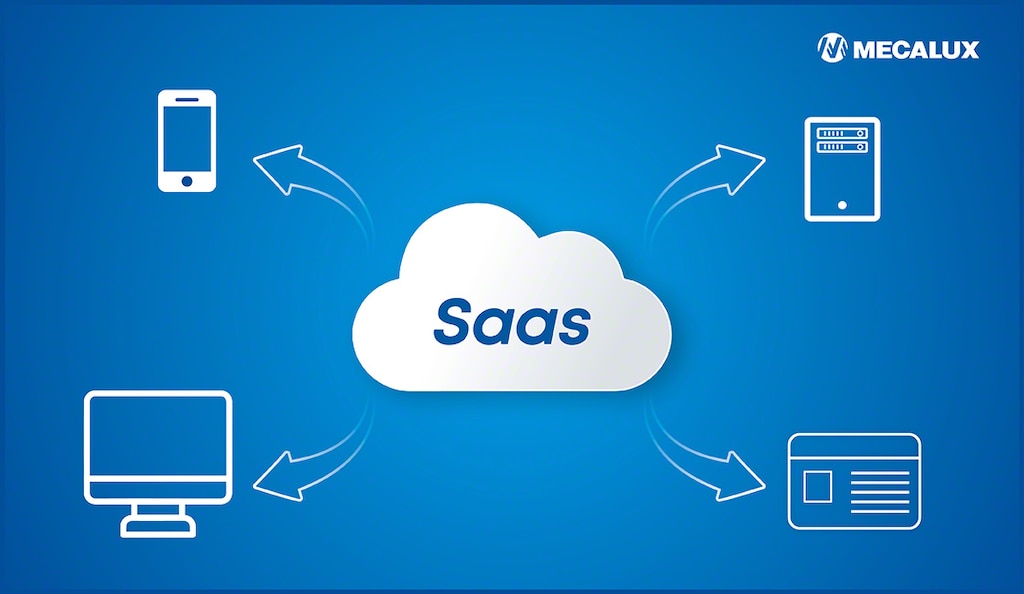
Alright, let’s talk about **SaaS**. It stands for Software as a Service. Sounds fancy, but it’s super simple. Think of it like this: instead of buying a software program and installing it on your computer forever, you “rent” it over the internet.
Imagine Netflix or Spotify. You don’t own the movies or songs, right? You pay a subscription, and you can watch or listen whenever you want, from pretty much anywhere. **SaaS** works the same way for software tools. You don’t install anything onto your computer’s hard drive; you access the software through your web browser or a simple app that connects to the internet.
The actual software lives on big servers somewhere far away, often referred to as “the cloud.” All you need is an internet connection and a device – your laptop, tablet, or phone – and you’re in business. It’s software ready to go, whenever and wherever you are.
The Magic Behind How SaaS Works
The secret sauce for **SaaS** is “the cloud.” Don’t let that term scare you! It simply means that the software and all its data are stored and run on internet servers instead of directly on your own device.
Here’s the cool part:
- No installations: You just sign up, log in, and start using it. No downloads, no messy setup files.
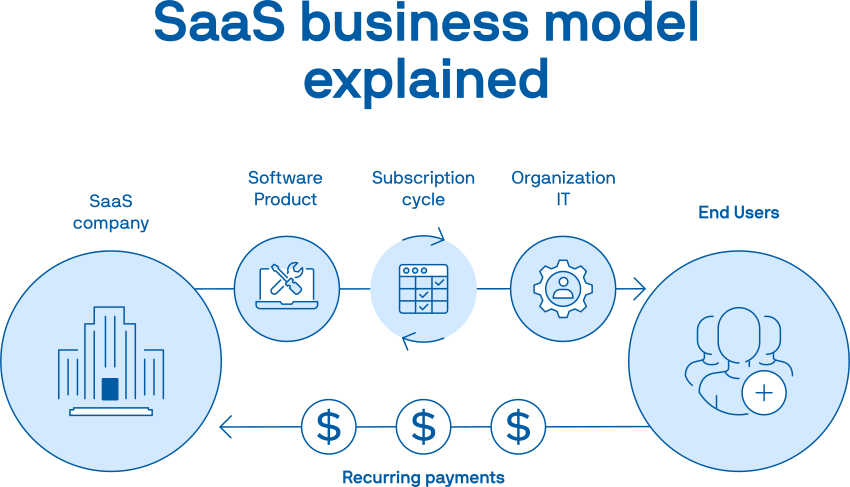
- Subscription model: Instead of a big one-time payment, you usually pay a small monthly or yearly fee. This makes it much easier to budget and try new tools without a huge commitment.
- Automatic updates: The company providing the **SaaS** takes care of all the updates, security patches, and maintenance. You always have the newest version without lifting a finger.
- Access anywhere: Since it’s internet-based, you can often log in from any device, anywhere in the world, as long as you have internet. Your work follows you.
“SaaS means you get to use powerful software without ever worrying about installing it, updating it, or fixing it. The tech team takes care of all that for you.”
This setup means businesses, big and small, and even individuals, can use powerful tools that used to be only for companies with huge IT departments. **SaaS** isn’t just for big businesses; it’s for everyone.
A Look at Common SaaS Examples
You’re probably using **SaaS** already without even realizing it!
- Email & Office Tools: Think Gmail, Microsoft 365 (Word, Excel, PowerPoint online). You access these through a browser, and your documents save to the cloud.
- Collaboration Apps: Tools like Slack for team chat, Asana or Trello for project management. They let you work with others from different locations.
- Design & Creativity: Canva, a popular graphic design tool, is a prime example. You create designs online, and they’re saved in your account.
- Customer Management: Programs like HubSpot or Salesforce help businesses keep track of their customers and sales.
- Video Conferencing: Zoom and Google Meet are classic **SaaS** tools for connecting with people face-to-face online.
Why So Many Folks Love Using SaaS
There are a bunch of reasons why **SaaS** has become such a hit. People appreciate the freedom and simplicity it brings.
- Always Current: The software is updated automatically. You always have the latest features and security.
- Budget-Friendly: Instead of a big upfront cost, you pay a regular, smaller fee. It’s easier on the wallet and helps with cash flow.
- Work From Anywhere: With an internet connection, your office is wherever you are. This is fantastic for remote work or working on the go.
- Easy to Try: Many **SaaS** products offer free trials. You can test them out to see if they fit your needs before committing any money.
- No Tech Headaches: The provider handles all the server maintenance, security, and updates. You don’t need a tech expert on staff just to keep things running.
Some Things to Keep in Mind
While **SaaS** offers a lot of good, there are a few things to think about:
- Internet Dependence: No internet, no software. This can be a bummer if your connection drops.
- Less Control: You’re relying on the provider for updates and changes. You don’t have as much say in how and when things are updated.
- Data Security: Your data lives on someone else’s servers. You trust the **SaaS** provider to keep it safe. It’s good to pick reputable companies.
- Subscription Costs Add Up: If you use many **SaaS** tools, those monthly fees can start to tally up.
On-Premise Software vs. SaaS: A Quick Look
To really grasp **SaaS**, it helps to see how it compares to the “old way” – on-premise software.
| Feature | SaaS (Software as a Service) | On-Premise Software |
|---|---|---|
| Hosting | Hosted by the provider (in the cloud) | Hosted on your own servers/computers |
| Access | Via web browser or app, internet needed | Installed directly on your device/network |
| Payment | Subscription fee (monthly/yearly) | Upfront license purchase |
| Maintenance | Handled by provider | Handled by you (or your IT team) |
| Updates | Automatic | Manual downloads & installations |
| Scalability | Easy to scale up or down | Requires hardware upgrades, more complex |
Getting Started with SaaS: Simple Steps
Diving into the world of **SaaS** is easier than you might think. If you’re looking for a new tool, here’s a friendly path forward:
- Know What You Need: Before you search, figure out what you want the software to do for you. Manage projects? Design graphics? Store files?
- Do a Quick Search: Use your favorite search engine. For example, “project management SaaS” or “online graphic design tool.”
- Try the Free Versions: Many **SaaS** products have free trials or even free-forever plans for basic use. This is a brilliant way to test drive before you buy.
- Check the Pricing: Understand what different plans offer and how they’re priced. Don’t be shy about comparing a few options.
- Read Some Reviews: See what other users are saying. Websites like G2 or Capterra often have helpful user insights.
**SaaS** has really changed the game for how we use technology. It makes powerful tools accessible to everyone, simplifying the digital life for individuals and businesses. Once you get a feel for it, you’ll see why it’s become so popular!
### Hashtags
SaaS, SoftwareSimplified, CloudSoftware, BeginnersGuide, TechMadeEasy, DigitalTools, SubscriptionModel, WorkFromAnywhere, ModernTech, TechExplained
Leave a Reply